





Using the Goal Seek Add-On in Google Sheets
There are times when you are trying to find the best solution to a scenario in Google Sheets. Instead of trying multiple solutions, use Goal Seek to optimise the solution.
There are times when you are trying to find the best solution to a scenario in Google Sheets. Instead of trying multiple solutions, use Goal Seek to optimise the solution.

In the 10+ years that I have been training people in email tools, I’ve discovered that many people use a ‘mark it unread again’ system to ‘manage’ their email. Is it any wonder their brains feel overloaded and their inboxes are out of control?! In Outlook on the web, using a flag or categories is a much better way to tag messages that require follow up or action.

Spring has sprung here in the Southern Hemisphere, so it is a perfect time to do an Inbox Spring clean! Imagine what it would be like to open your Outlook mail and see all your mail with minimal scrolling…that’s what an Inbox spring clean can help you do.

Spring has sprung here in the Southern Hemisphere, so it is a perfect time to do an Inbox Spring clean! Imagine what it would be like to open your Gmail Inbox and have only one page (or less) of emails sitting there…that’s what an Inbox spring clean can help you do.

Although Google Drive has a very powerful search feature, my training sessions always have participants who are having difficulty finding files in Google Drive. This is usually because they are just typing a keyword in the search box and hoping for the best! In this blog post, I’ll share my top five tips for searching effectively in Google Drive.
Microsoft OneNote is an excellent tool for collaborating on and collating meeting minutes. However, when you utilise the connection between OneNote and Microsoft Outlook email and calendar, it becomes even more powerful! In this blog post, I’ll show you how the two tools work together to make taking and sharing meeting minutes quicker and easier.
With so many resources available online it’s important to know how to effectively manage and organise digital content that you rely on. Bookmarking frequently visited websites or documents is a great way to be more efficient when working online. Here are five key things to know when you are using bookmarks in Chrome.
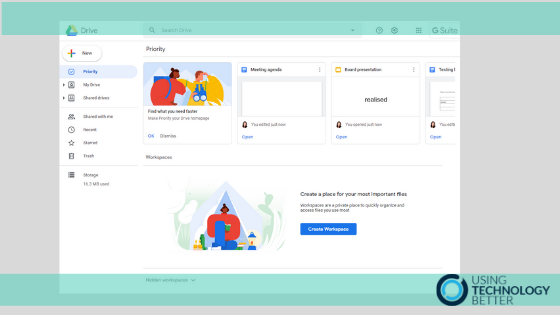
When I ask people what their biggest frustration with Google Drive is, the overwhelming response is always ‘keeping it organised!’. That’s why I am so excited about Google Drive’s Priority page. In this blog post, I’ll explain what it does, how it can keep you focused and efficient and how you can use Workspaces to organise the files you use the most.
If you’ve been using the same email account in Outlook for Mac for a while, you’ve probably ended up with a long list of folders that can be cumbersome and time consuming to navigate. In this blog post, I’ll share three tips you can use to better organise your folders for greater efficiency.

It’s so easy to waste time digging through folders and scrolling through search results trying to find that email that you just know is hidden somewhere. In this blog post, I’ll explain how the Outlook for Mac search feature works and how you can use it to quickly find the email you are looking for.

Do you often find yourself searching for online images to use and then wishing you could remember where you found certain ones? This blog post will show you how you can curate a collection of these online images using the Chrome web browser so that you can easily access anytime you like.
If you have multiple people contributing to a shared Google Sheet, it can be difficult to keep track of all the changes being made. However, Google Sheets has some really useful features that can tell you when something has been changed and help you pinpoint exactly what was changed and by whom.